When you open a web page, your browser provides information about the connection to that site. If the site is detected as potentially dangerous, the security icon to the left of the site's address changes.
The security icon provides information about the page you are viewing. Here are some examples:
| Google Chrome | Firefox | Microsoft Edge | Meaning |
|---|---|---|---|
 |
 |
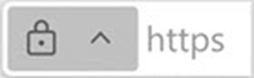 |
Secure The information you share with this site is private. |
 |
 |
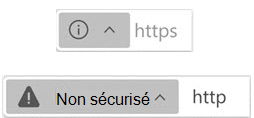 |
Unsecured The connection to this site is not private. A third party could intercept the data being exchanged. |
 |
 |
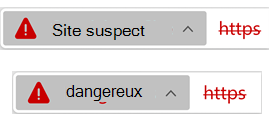 |
Dangerous The site has been flagged as risky in terms of security and privacy. |