The payment platform does not offer a solution for collecting security deposits.
However, you can use manual approval to create payments that would be considered a security deposit.
The principle is simple:
- You request the creation of a payment for the amount of the deposit.
- You specify the payment approval method (manual validation).
- The buyer makes the payment.
- The amount is reserved on their account for a period that depends on the type of card.7 days for CB, Visa, Mastercard, and Visa Electron.30 days for Maestro.
- If you validate the payment before it expires, the amount is debited.
- If necessary, you can reduce the amount and validate the transaction before the payment expires.
- If you cancel or if the payment expires, the amount will be released after a few days, depending on the card issuer.
Create a manual payment for a security deposit
This feature is available only to authorized users and if the store has the “Manual Payment” option enabled.
- In the Merchant Back Office.
- Click MOTO payment.
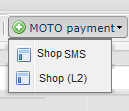
- Click on Wizard.
- Select your payment method and enter the deposit amount.
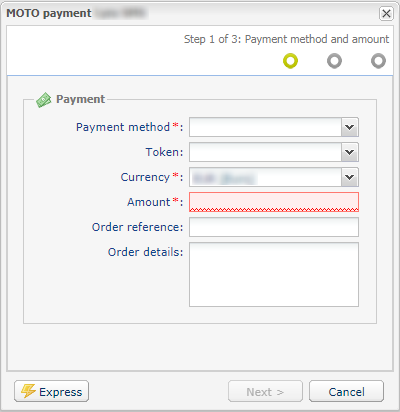
- Click Next.
- Enter your card information (number and expiration date).
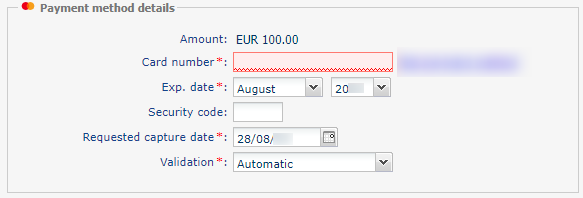
- Select the validation mode Manual.
- Click Next.
- Enter the buyer's information if necessary, then click Create.
Create a payment link for a security deposit
This feature is available only to authorized users and if the store has the “Manual Payment” option enabled.
- From the Merchant Back Office, go to the Management menu > Payment orders.
- Click Create a link.
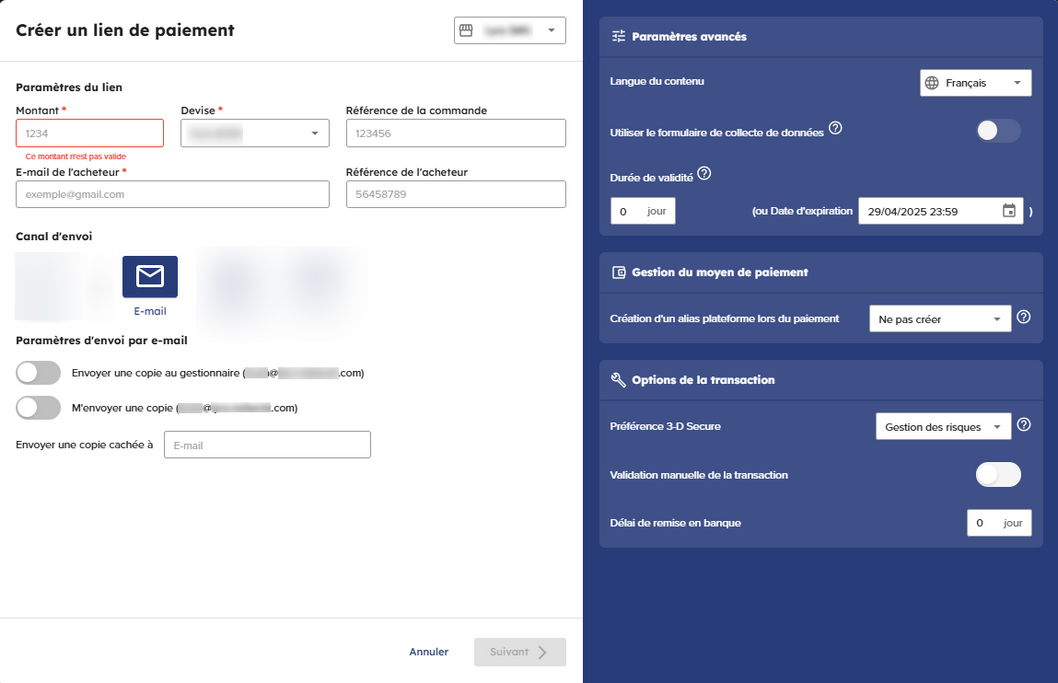
- Enter the Amount of the deposit.
- Fill in the Buyer’s e-mail address.
- In the Transmission channel section, select the E-mail transmission channel.
- In the Transaction options section, flip the switch to the right to enable manual validation mode.
- Click on Next and then on Send.
Collect or refund a security deposit from the Merchant Back Office
- In your Merchant Back Office, search for the transaction in the Transactions is progress tab.
- Right-click on the transaction, then select Validate to collect the deposit or Cancel to return it.The payment status is Cancel or Waiting for capture.
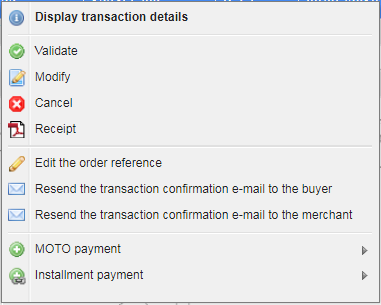
If you have confirmed, the funds will be deposited into your account within a few days.
Withhold a portion of the security deposit starting on Merchant Back Office
- In your Merchant Back Office, search for the transaction in the Transactions is progress tab.
- Right-click the transaction then select Edit.
- Enter the amount to be debit. This amount must be less than the original amount.
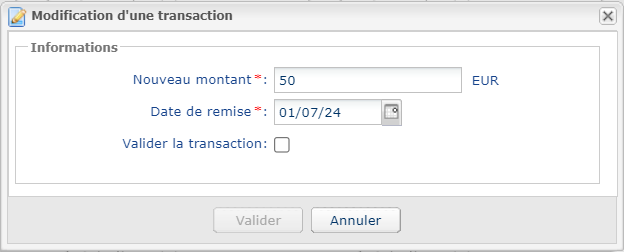
- Check the Confirm transaction box.
- Click Validate. The payment status is Waiting for capture. The funds will be deposited into your account within a few days.