If a payment or refund is refused, the merchant can generate an official receipt from the Merchant Back Office.
Procedure for downloading the transaction receipt:
- Go to the Management > Transactions > Tab [Transactions is progress] of your Merchant Back Office.
- Locate and select the transaction refused,
- Click TicketThe page page selection for printing is displayed.
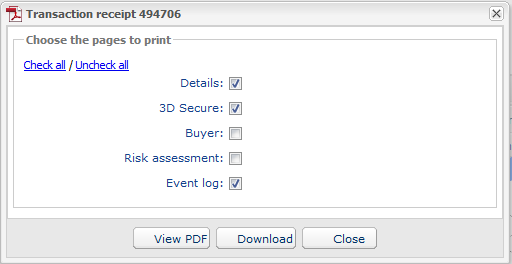
- Check the boxes next to: “Information” / “3D Secure” / “Buyer”.
- Click Download.
The downloaded receipt can be sent to the buyer so they can verify the transaction with their bank (technical support or the appropriate department).